Automate bulk downloads
Automatically download the invoices from your tax drawer
Automate the daily retrieval of invoices from the Revenue Agency portal
with our bulk download system.
No errors, no more long and manual tasks!

What is it for?
Why automate the process?
Consulting electronic invoices in the Cassetto Fiscale is a mandatory step for companies, professionals, and tax consultants. However, as document volumes grow and deadlines tighten, manual management quickly becomes a bottleneck. Between repetitive downloads, multiple logins, and the risk of errors, even a simple task like downloading invoices can slow down your entire workflow.
HOW IT WORKS
What’s in the
Tax Drawer?
The Tax Drawer is the service that allows users to view and manage their tax information. Businesses, self-employed professionals and individual taxpayers can access the Tax Drawer from the Revenue Agency website using their SPID, CIE or CNS credentials.
In addition to personal details, for taxpayers with a VAT number the Tax Drawer also contains information relating to their activity and stores issued and received electronic invoices. The electronic invoices archived in the Tax Drawer can be viewed directly online or downloaded manually. A process that can prove time-consuming and lead to errors if done regularly.
HOW IT WORKS
The manual procedure: long and repetitive
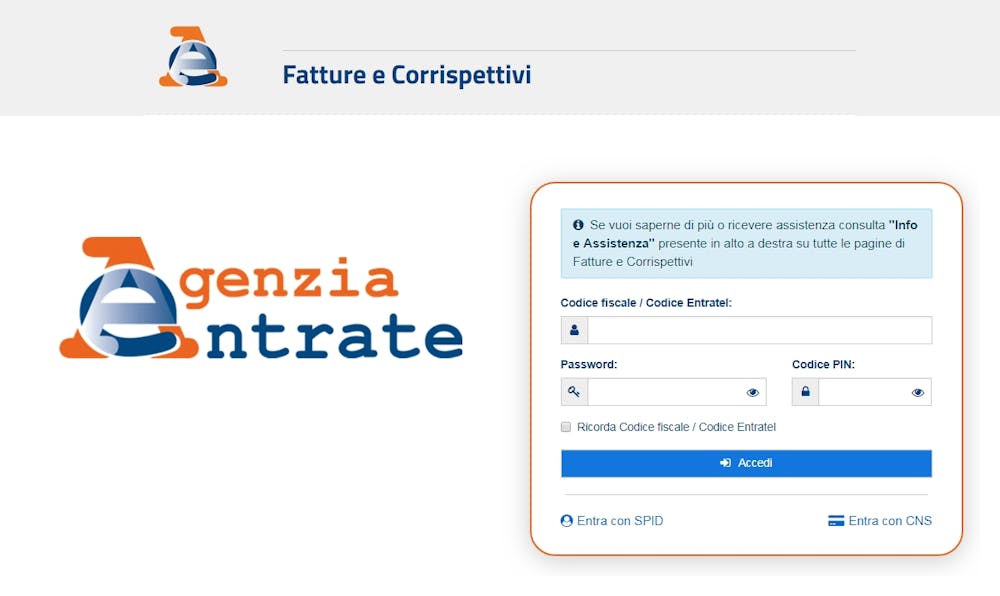
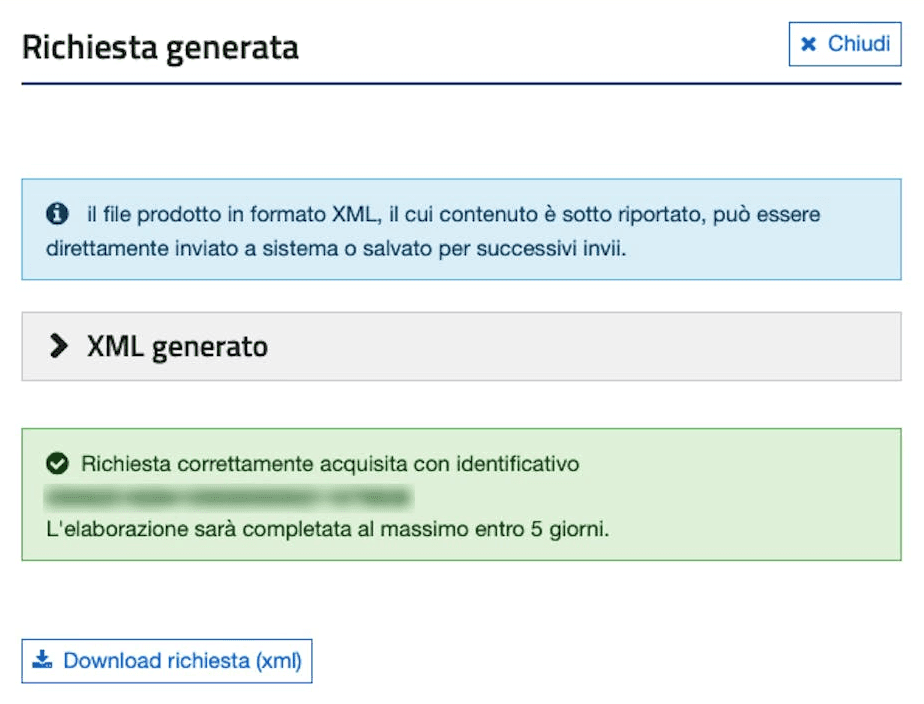
How does the manual process work? After logging in with SPID on the Revenue Agency’s Invoices and Receipts portal, you need to choose Consultations and bulk downloads from the available services. You must then submit a request from the relevant item and complete the search type, along with the reference dates for the invoices you want to download and the type of invoice issued or received. The request process must be repeated several times if you want to download both types or work on different date ranges. The request submitted will be processed by the Revenue Agency within 5 calendar days, and the file will then be available in the Responses section of the same portal.
An automatic,
worry-free solution
The bulk download API from the Tax Drawer is scheduled to download the submitted and issued electronic invoices daily, without having to visit the Revenue Agency’s website. The service makes it possible to automate the operation and integrate it within the workflow already adopted by the company or professional practice, such as administrative software or cashflow management software. All of this happens in a scheduled manner and without human intervention. Automation reduces the likelihood of making errors and ensures the completeness of the downloaded data.
Assigned by you
Accountants and tax advisers can use the API if the client grants them the mandate to access their Tax Drawer. They, or the end customer directly, will appoint A-Cube.
Integrated with your ERP
No more exporting and importing files: integration with external systems such as ERP, CRM and accounting software makes the data immediately usable.
Scalable
The API is scalable: it can be used to download a few files or tens of thousands of electronic invoices issued or received.
The format you want
Electronic invoices can be downloaded in PDF, XML, JSON or CSV format. You decide how to set up the download and subsequent integration according to your workflow.
FAQ
How much does the service cost?
The cost varies based on the volume of invoices downloaded and how many VAT numbers are connected. Contact us for more information: sales@acubeapi.com
How many VAT numbers can I link to the service?
How am I notified when the AdE portal password expires?
How will I be notified if there are new invoices available to download?
Can I retrieve the invoice history?
How long does it take the Revenue Agency to make the invoices available in the drawer?
How long does A-Cube's service keep the invoices available?
FAQ
How much does the service cost?
The cost varies based on the volume of invoices downloaded and how many VAT numbers are connected. Contact us for more information: sales@acubeapi.com
How many VAT numbers can I link to the service?
How am I notified when the AdE portal password expires?
How will I be notified if there are new invoices available to download?
Can I retrieve the invoice history?
How long does it take the Revenue Agency to make the invoices available in the drawer?
How long does A-Cube's service keep the invoices available?
What is it for?
Why automate the process?
Consulting electronic invoices in the Cassetto Fiscale is a mandatory step for companies, professionals, and tax consultants. However, as document volumes grow and deadlines tighten, manual management quickly becomes a bottleneck. Between repetitive downloads, multiple logins, and the risk of errors, even a simple task like downloading invoices can slow down your entire workflow.
HOW IT WORKS
What’s in the
Tax Drawer?
The Tax Drawer is the service that allows users to view and manage their tax information. Businesses, self-employed professionals and individual taxpayers can access the Tax Drawer from the Revenue Agency website using their SPID, CIE or CNS credentials.
In addition to personal details, for taxpayers with a VAT number the Tax Drawer also contains information relating to their activity and stores issued and received electronic invoices. The electronic invoices archived in the Tax Drawer can be viewed directly online or downloaded manually. A process that can prove time-consuming and lead to errors if done regularly.
HOW IT WORKS
The manual procedure: long and repetitive
How does the manual process work? After logging in with SPID on the Revenue Agency’s Invoices and Receipts portal, you need to choose Consultations and bulk downloads from the available services. You must then submit a request from the relevant item and complete the search type, along with the reference dates for the invoices you want to download and the type of invoice issued or received. The request process must be repeated several times if you want to download both types or work on different date ranges. The request submitted will be processed by the Revenue Agency within 5 calendar days, and the file will then be available in the Responses section of the same portal.
An automatic,
worry-free solution
The bulk download API from the Tax Drawer is scheduled to download the submitted and issued electronic invoices daily, without having to visit the Revenue Agency’s website. The service makes it possible to automate the operation and integrate it within the workflow already adopted by the company or professional practice, such as administrative software or cashflow management software. All of this happens in a scheduled manner and without human intervention. Automation reduces the likelihood of making errors and ensures the completeness of the downloaded data.
Assigned by you
Accountants and tax advisers can use the API if the client grants them the mandate to access their Tax Drawer. They, or the end customer directly, will appoint A-Cube.
Integrated with your ERP
No more exporting and importing files: integration with external systems such as ERP, CRM and accounting software makes the data immediately usable.
Scalable
The API is scalable: it can be used to download a few files or tens of thousands of electronic invoices issued or received.
The format you want
Electronic invoices can be downloaded in PDF, XML, JSON or CSV format. You decide how to set up the download and subsequent integration according to your workflow.
FAQ
How much does the service cost?
The cost varies based on the volume of invoices downloaded and how many VAT numbers are connected. Contact us for more information: sales@acubeapi.com
How many VAT numbers can I link to the service?
How am I notified when the AdE portal password expires?
How will I be notified if there are new invoices available to download?
Can I retrieve the invoice history?
How long does it take the Revenue Agency to make the invoices available in the drawer?
How long does A-Cube's service keep the invoices available?
FEATURES
Why A-Cube?
Complete documentation. From the first token to production.
Everything you need to integrate A-Cube's APIs is on our developer portal: JWT authentication, full references for every endpoint, guides to document flows and specifications in OpenAPI format. The documentation is organised by reference country and covers the entire platform: e-invoicing, Open Banking, archiving, preconfigured connectors such as Transfer and Stripe app. Free Sandbox included, with a control dashboard to test the integration without touching real data. You can share your feedback about our APIs directly from the dashboard.
Not only APIs: our customer support team is here to help you!
The customer support of A-Cube is structured to support you continuously during the integration and operation of the APIs in complex contexts. It includes support during onboarding, with the involvement of dedicated integration managers, and technical assistance in production through structured channels and defined SLAs. Request management quickly resolves application and compliance issues, with specific expertise in tax flows and integrations with third-party systems, reducing implementation times and ensuring operational continuity even in the event of regulatory changes or variations in integrated systems.
FEATURES
Why A-Cube?
Complete documentation. From the first token to production.
Everything you need to integrate A-Cube's APIs is on our developer portal: JWT authentication, full references for every endpoint, guides to document flows and specifications in OpenAPI format. The documentation is organised by reference country and covers the entire platform: e-invoicing, Open Banking, archiving, preconfigured connectors such as Transfer and Stripe app. Free Sandbox included, with a control dashboard to test the integration without touching real data. You can share your feedback about our APIs directly from the dashboard.
Not only APIs: our customer support team is here to help you!
The customer support of A-Cube is structured to support you continuously during the integration and operation of the APIs in complex contexts. It includes support during onboarding, with the involvement of dedicated integration managers, and technical assistance in production through structured channels and defined SLAs. Request management quickly resolves application and compliance issues, with specific expertise in tax flows and integrations with third-party systems, reducing implementation times and ensuring operational continuity even in the event of regulatory changes or variations in integrated systems.
Dashboard
A-Cube API monitoring dashboard
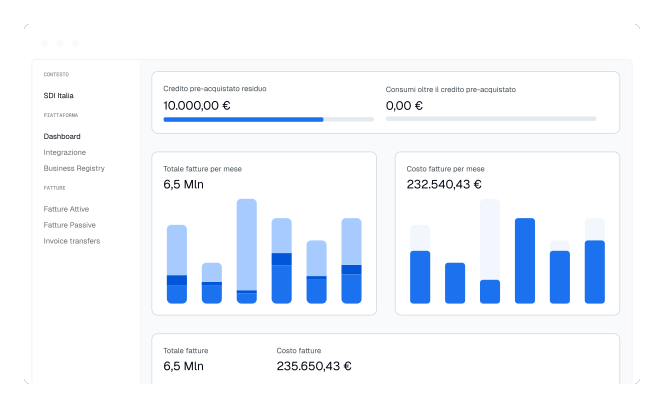
Monitor usage and statistics. Manage inbound and outbound document flows with advanced filters. Thanks to webhooks, you can decide how the A-Cube platform should interact with your systems and how it should behave when you manage your clients' accounts.
Dashboard
A-Cube API monitoring dashboard
Monitor usage and statistics. Manage inbound and outbound document flows with advanced filters. Thanks to webhooks, you can decide how the A-Cube platform should interact with your systems and how it should behave when you manage your clients' accounts.